Rebuilding my observatory control PC from scratch: Ubuntu, INDI/EKOS and a pile of Python
The observatory depends on more than the telescope and camera. A small PC runs the control software, talks to the equipment, keeps an eye on the weather and runs the scripts that make a night of observing possible.
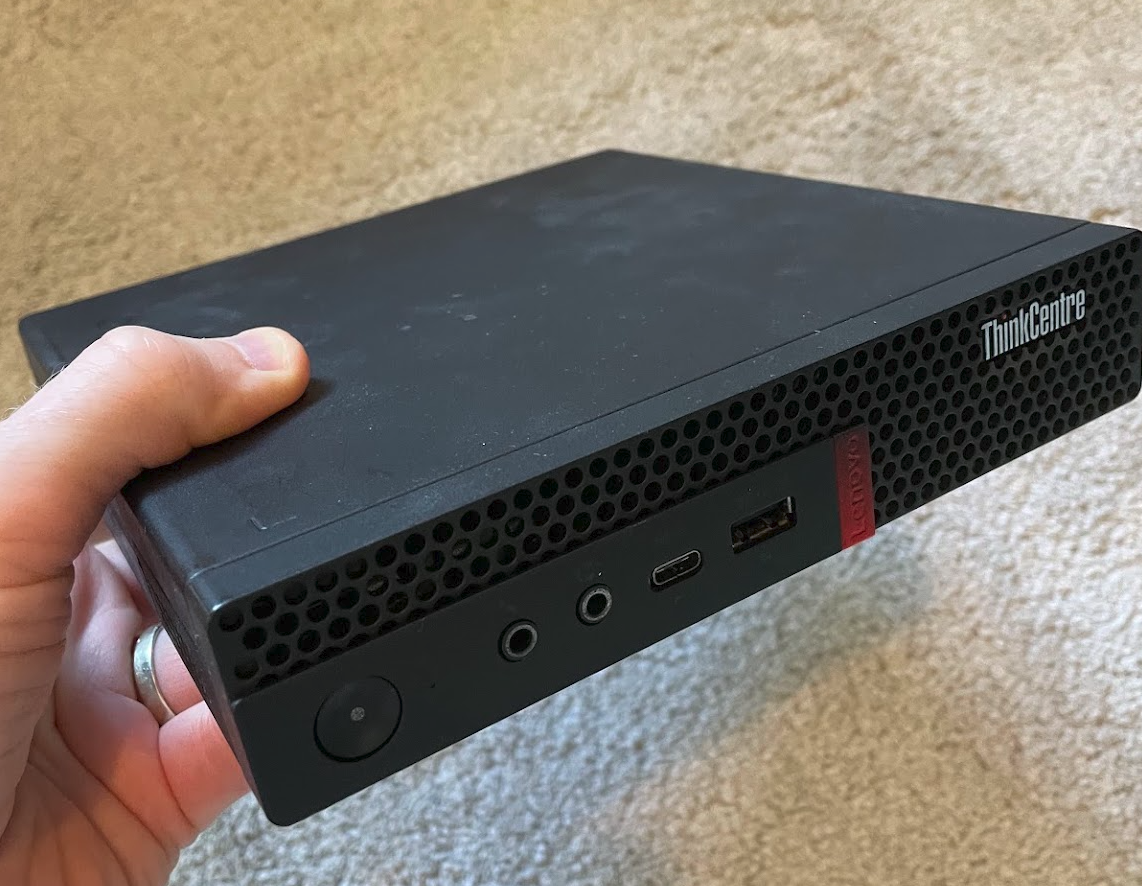
The last PC I had managing everything was an HP Elite SFF that I purchased refurbished back in 2016. It died recently with some sort of motherboard problem. Considering it was about 15 years old, it did a great job. I recently replaced this, moving everything to a refurbished Lenovo ThinkCentre Tiny with a fresh Ubuntu installation. This cost less than €200 from https://www.refurbed.ie/ and has plenty processing power. The main job was getting KStars and EKOS talking to the observatory equipment again, but there was lots to do around that: remote access, astrometry, monitoring, data reduction scripts and all the small bits of Python that support an observing session.
A clean Ubuntu install
I started with a fresh Ubuntu 26.04 LTS install and brought the system up to date. I enabled SSH so I could manage the computer without needing a keyboard and monitor at the observatory. I also enabled Ubuntu’s remote desktop and set the system to auto log in and never lock the screen or go to sleep.
For remote access, I set up Tailscale in place of the complex reverse ssh tunnel used on the old setup. It gives me a straightforward way to reach the PC remotely without having to maintain that tunnel and a cloud VPS. Ubuntu’s remote desktop also works perfectly over Tailscale.
I also checked the health of the hardware since it was refurbished. That included an NVMe self-test with smartmontools, and later checks of temperatures and fan speed with lm-sensors. I ran Geekbench as another basic check. The machine seems to have very little use with plenty life left in the NVME SSD.
Installing the astronomy software
The core of the setup is KStars and EKOS, with INDI drivers to connect to the equipment. I followed usual install instructions from https://indilib.org
Plate solving needed a little more work. I installed astrometry.net, configured /etc/astrometry.cfg to point to the same location as the EKOS solver uses. Then copied the index FITS files from the old PC’s drive instead of downloading again. I also installed supporting tools including plocate and qtchooser.
The KStars launcher mystery
One of the more frustrating parts of the rebuild was a problem that was easy to describe and surprisingly hard to diagnose: KStars launched from a terminal, but clicking its desktop launcher did nothing.
I worked through the usual suspects. I tried forcing the Qt X11 platform with QT_QPA_PLATFORM=xcb, checked whether the desktop session was Wayland or X11, and logged the launch environment to a temporary file. I traced process execution with strace, watched D-Bus activity, checked the journal, made a user-level .desktop override and verified that the launcher file was trusted. I even inspected it for stray characters and tried reinstalling KStars after clearing its configuration.
The fix was to create a local copy of the desktop file.
cp /usr/share/applications/org.kde.kstars.desktop ~/.local/share/applications/
Then removing these two entries from ~/.local/share/applications/org.kde.kstars.desktop:
X-DBUS-StartupType=Unique
DBusActivatable=true
After removing them, logging out and in, the desktop launcher worked.
Moving the observatory setup across
I mounted the old PC’s SSD drive and copied across the settings and data that were still useful, including ~/.indi, the KStars astrometry directory and my .profile. Some settings in EKOS had to be entered again by hand.
For serial devices, I used /dev/serial/by-id/ so the device paths would be easier to identify than a changing /dev/ttyUSB* number.
Bringing my own tools back
Once the astronomy software was in place, I cloned my bh-observatory repository, set up a Python virtual environment and installed its requirements.txt. I added a few extra packages used by particular scripts, including boto3, matplotlib and ccdproc. I also installed uv and hikari, which powers the observatory data reduction dashboard.
The small pieces that make an observing night work
As well as running Kstars & EKOS, the PC also hosts the observatory-specific scripts and monitoring that help the system respond to changing conditions:
- A weather proxy (
weather_status.py) and a safety check for bad weather during a slew. - Scripts for the roof and Dome Scripting Gateway.
- Startup and shutdown task queues in KStars.
- Cron jobs to collect INDI properties, check for the latest FITS image and run
ekos_monitor.sh. indi_getpropchecks to determine whether the mount is slewing or tracking.- A
viewcamscript for the Foscam security camera. - Tested out the data reduction scripts with
reduce_landed.
Having these pieces back on one computer is what turns a working Ubuntu installation into an observatory control system.
A short rebuild checklist
For a similar rebuild, this is the order I would follow in future:
- Update Ubuntu and set up SSH and remote access.
- Check the storage, temperatures and fan behaviour if the PC is refurbished.
- Install KStars, EKOS, INDI drivers, the guide star catalog and astrometry data.
- Migrate settings from the old computer, then remove stale device configurations.
- Reinstall the observatory scripts, Python environment and dashboard.
- Restore environment variables in .profile, scheduled monitoring cron jobs, syncing and backups.
- Test the whole setup, including the desktop launcher and the observatory hardware, before relying on it for an observing session.